
Grow a Garden Calculator – GAG Calculator, Crop Value
Accurately estimate market selling prices with weight scaling, rare mutations, and active game modifiers.
Crop & Weight
MelonMutations & Aura
1.00×Additional Modifiers
1.00×Formula Breakdown
Crop Reference Database
| Crop | Category | Base Wt | Base Payout |
|---|
Crop Harvest History Log
0 Harvests| Date / Time | Crop | Weight | Mutations | Net Mult | Selling Value | Action |
|---|
No harvests logged yet
Click “Log Harvest” after calculating any crop to save records in this list.
What Is Grow a Garden Calculator
A Grow a Garden calculator helps you check crop value, pet weight, mutation results, and trade value in Roblox Grow a Garden. You can enter your crop, weight, mutations, or pet details and get a quick estimate. This helps you compare items before you sell or trade them.
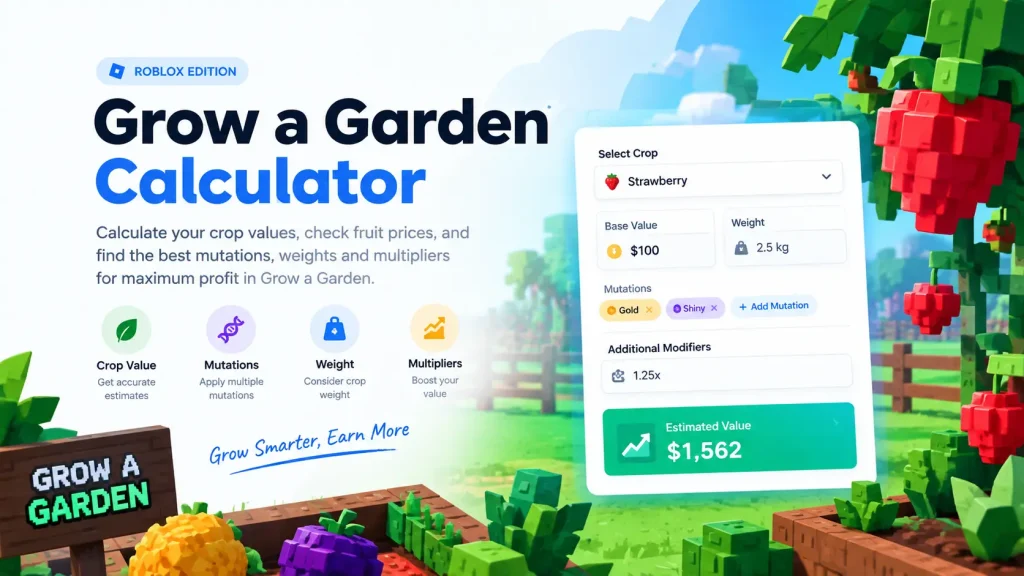
How to Use a Grow a Garden Calculator
Using the Grow a Garden Calculator takes only a few steps:
- Select the crop or pet you want to check.
- Enter the current weight when required.
- Select the mutations on the item.
- Add the quantity if you have more than one item.
- Enter other details supported by the calculator.
- Check the final value or weight result.
For a large fruit, enter its real weight instead of guessing. A small change in weight can change the result when the formula uses a weight multiplier.
How Crop Value Is Calculated
Crop value usually depends on the crop’s base value, weight, mutations, and other supported modifiers
A common calculation structure is
Value = Base Value × Weight Factor × Mutation Multipliers × Quantity
Some calculators use a squared weight ratio. A simplified version looks like this:
Value = Base Value × (Weight ÷ Base Weight)² × Mutation Multiplier × Quantity
The exact formula can vary by tool and game update. Use the formula shown by the calculator you are using.
Crop value inputs
| Factor | What It Does |
|---|---|
| Crop | Sets the base value |
| Weight | Changes the weight factor |
| Mutation | Applies mutation effects |
| Quantity | Calculates more than one item |
| Growth or boost | Adds a supported modifier |
Why crop weight matters
Weight can have a large effect on crop value. For example, a crop that reaches 1.5 times its base weight has a 2.25 weight factor when the formula squares the weight ratio. That is why a Grow a Garden value calculator needs the correct weight. The same fruit can have very different values at different weights.
Grow a Garden Mutation Calculator
A Grow a Garden mutation calculator shows how mutations can change the value of a crop. Enter every mutation shown on the item to get an updated value. The calculator can then apply the current multiplier rules used by its data. Common mutation searches include Gold, Rainbow, Shocked, and other special effects. If you also need to calculate CD interest, APY, or maturity value, you can use a CD Calculator. New mutations can appear after game updates, so older values may not match current results.
How to check mutation value
Use these details when calculating a mutated crop:
Do not assume that two mutations always add or multiply in the same way. The calculator’s formula should define how stacked mutations affect the result.
Grow a Garden Pet Weight Calculator
A grow-a-garden pet weight calculator helps you estimate a pet’s weight from its age, starting weight, and other available details. Pet weight matters when you compare pets, check their size, or review a trade.
Use the tool to:
For example, two pets of the same type can have different values when their starting weights are different. Enter the real hatch weight when the calculator asks for it.
Grow a Garden Pet Calculator
A pet calculator can cover more than weight. Some tools also help you check pet abilities, XP, hatch details, mutations, and trade value.
When checking a pet, review:
| Pet detail | Why it matters |
|---|---|
| Pet name | Identifies the item |
| Rarity | Helps compare similar pets |
| Weight | Affects size and some values |
| Age | Helps estimate growth |
| Ability | Shows the pet’s game effect |
| Mutation | Can change the pet’s value |
| Trade value | Helps compare offers |
Pet value and crop sell value are not the same thing. A pet’s trade value can also change with demand and player interest.
Grow a Garden Price and Value Calculator
A grow a garden price calculator helps estimate what an item may be worth based on its current inputs. Before reading the result, check what type of value the tool shows. A crop sell value answers one question: how much the game may pay for the item. A trade value answers another question: how players may value the item in a trade. This difference matters when you compare a pet, fruit, or mutated crop with another player’s offer.
Crop value example
Imagine a crop has a base value of 500 Sheckles and a 20x mutation multiplier. Before weight and other modifiers, the mutation changes the base value to 10,000 Sheckles. The final result can be higher or lower after the calculator applies weight and other supported inputs.
Grow a Garden Trade Calculator
A grow a garden trade calculator compares the value of items on both sides of a trade.
A simple trade check looks like this:
- Add your items.
- Add the other player’s items.
- Enter weight and mutations where required.
- Compare the total values.
- Review the W/F/L result.
W/F/L means Win, Fair, or Loss.
A Win means your side has more value under the calculator’s rules. Fair means the values are close. Loss means you give more value than you receive.
What to check before a trade
Do not compare a plain crop with a mutated crop without checking the full details.
Grow a Garden Calculator for Roblox
A Grow a Garden calculator Roblox search usually means the player wants a tool for the Roblox game Grow a Garden. You may also see GAG calculator, Roblox Grow a Garden calculator, or Calculator Grow a Garden in search results. GAG is a common short form for Grow a Garden. The tool can be useful when you want to answer a simple question before making a game decision:
Is this crop worth selling?
Is this pet heavier than another one?
How much does this mutation change the value?
Is this trade fair?
How Accurate Are Grow a Garden Values?
Calculator results depend on the game data and formula used by the tool. For a better result, use current values and enter exact item details.
Check these details before trusting a result:
Game updates can change item values, pet data, mutations, or trade demand. Recheck the result after a major update.